How to Write a Changelog Developers Actually Read (With Examples)
What goes in a changelog, how to group and order entries, how to word breaking changes, fixes and performance wins, what to leave out, and a template you can copy.
The short answer
A good changelog lists the notable changes in each version, newest first, grouped by type, with breaking changes at the top. Each line describes the effect on users, not the implementation, and links to docs or issues. Commit logs, refactors and dependency bumps don't belong in it.
Key takeaways
- Write for someone deciding whether and how to upgrade.
- Put breaking changes in their own section, above everything else.
- Describe fixes by the symptom users saw, and performance by old and new numbers.
- Leave out anything a user wouldn't notice: refactors, CI, dependency bumps, typos.
Most changelogs fail in one of two ways. Either they're a raw dump of commit messages that only the author can decode, or they stopped being updated three releases ago. Both tell your users the same thing: nobody here thinks about what changed for them.
This guide covers how to write a changelog that developers actually read: what goes in it, how to group and order entries, how to word the lines that matter most (breaking changes, fixes, performance), and what to leave out. There are good and bad examples throughout, and a template you can copy at the end.
What a changelog is for
A changelog is a file (usually CHANGELOG.md in the repository root, a page on your docs site, or both) that lists the notable changes in each version of your project, newest first.
Its reader is specific: someone deciding whether and how to upgrade. They want to know three things, fast:
- Is there anything in this version that will break my code?
- Is there anything new I'd want to use?
- Was the bug I hit fixed?
Everything about a good changelog follows from serving that reader. It's why breaking changes go first, why every line describes an effect instead of an implementation, and why a commit log isn't a changelog.
Changelog vs. commit log
Your git history is a record of how the code changed, written by and for the people who changed it. A changelog is a record of what changed for users, written for the people who depend on it.
Here's the same release, twice:
a41c9e2 fix: handle nil cursor in resolver
7bd21f0 chore: bump deps
e0f7a13 feat(sdk): stream rows via server cursor
91c2ab4 refactor: extract backoff helper
3fe88d1 fix typo in README
c7a1e05 feat!: drop Node 16 support
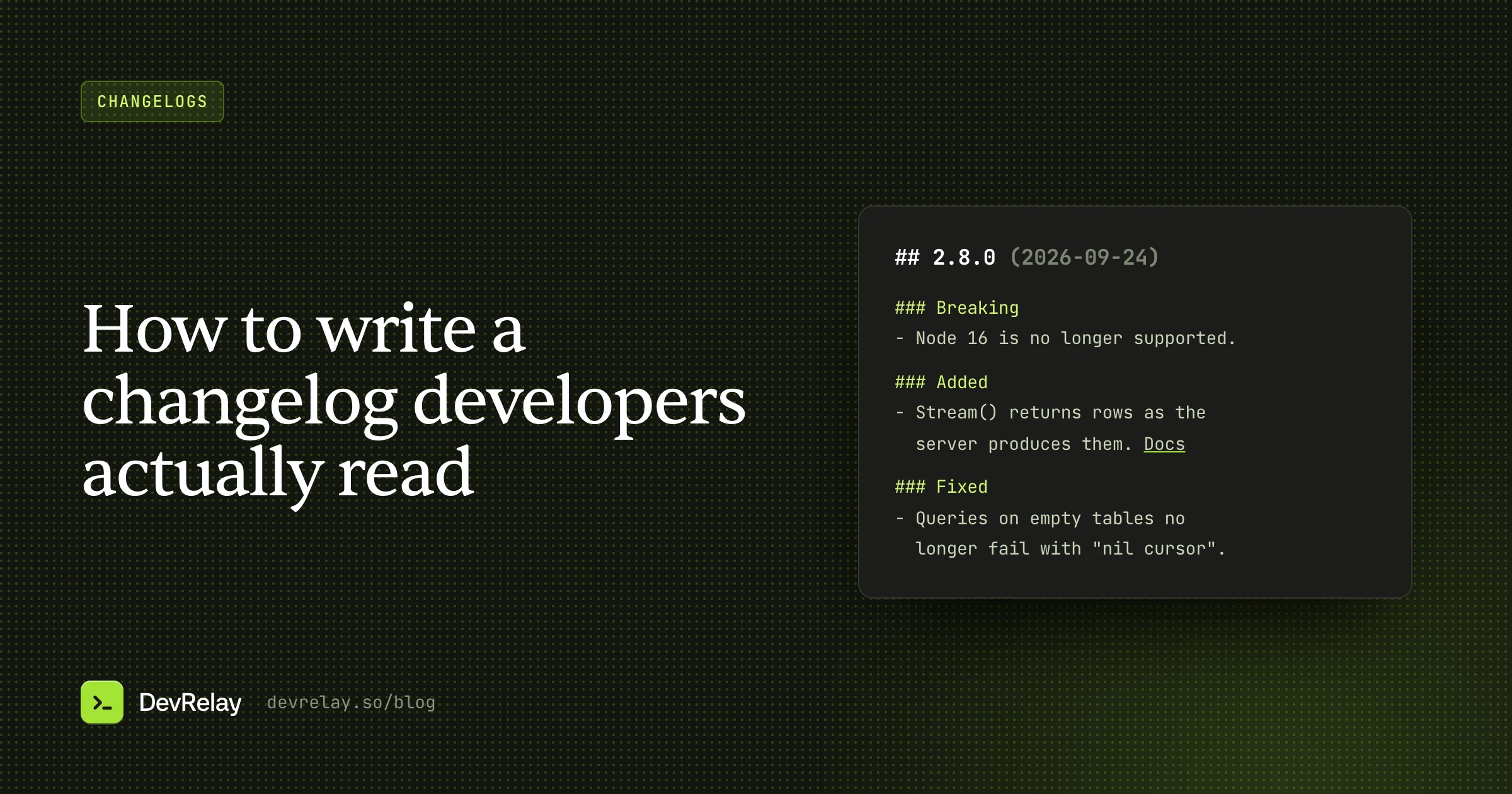
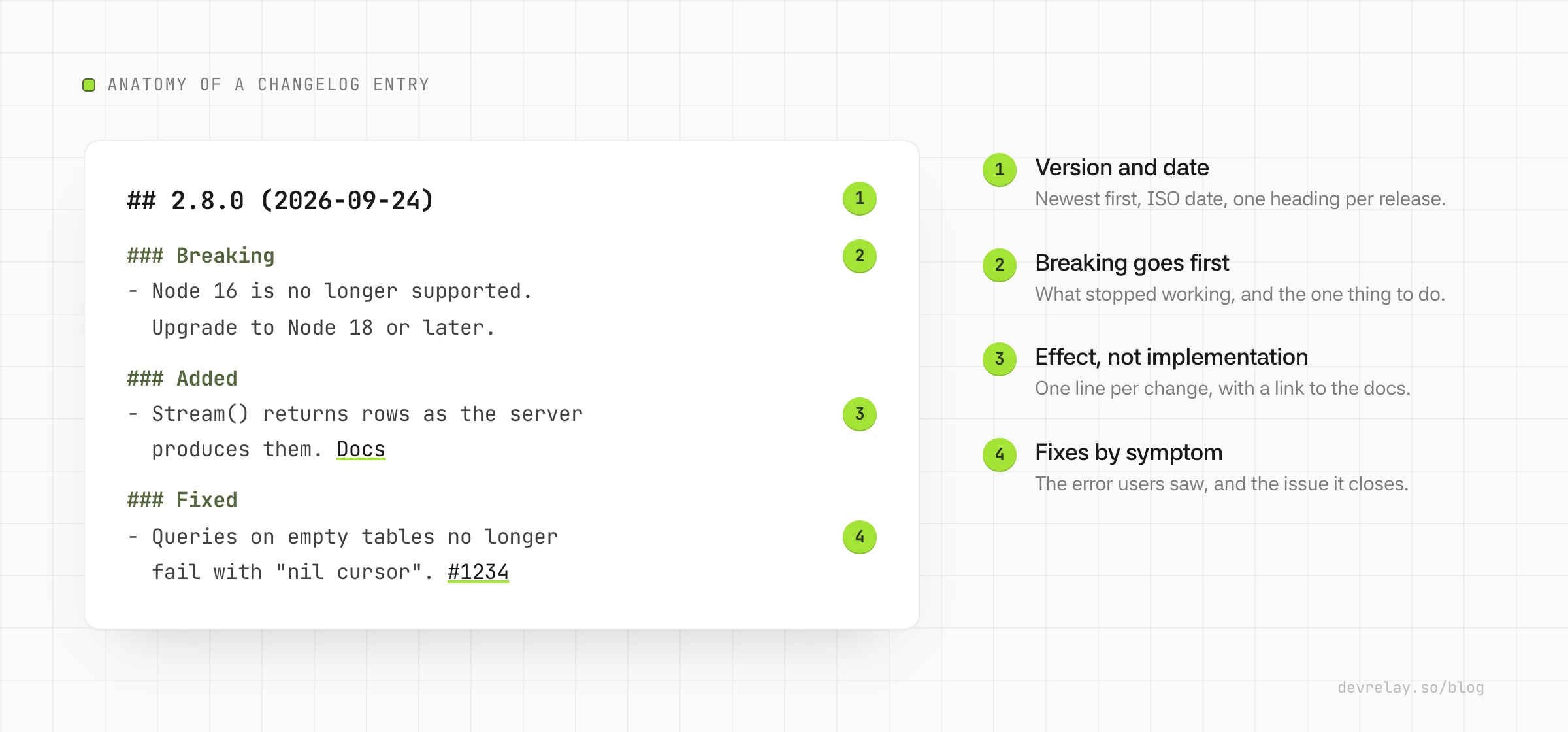
## 2.8.0 (2026-09-24)
### Breaking
- Node 16 is no longer supported. Upgrade to Node 18 or later.
### Added
- `Stream()` returns rows as the server produces them, so large
result sets no longer have to fit in memory. [Docs](https://example.com/docs/stream)
### Fixed
- Queries no longer fail with "nil cursor" when a result set is empty.The first version has six lines and tells a user almost nothing. The second has three and answers all three upgrade questions. Two commits disappeared entirely (a dependency bump and a README typo), one refactor disappeared because users can't observe it, and the breaking change moved from the bottom to the top.
That editing step is the whole job. A commit log is raw material. It isn't the finished changelog.
The format: Keep a Changelog, with one change
The most widely used convention is Keep a Changelog. Its principles are worth adopting as-is:
- Changelogs are for humans, not machines.
- There's an entry for every single version.
- Changes of the same type are grouped.
- The latest version comes first.
- Each version shows its release date, in
YYYY-MM-DDformat. - Versions and sections are linkable.
- You say whether the project follows Semantic Versioning.
Keep a Changelog groups changes under six types: Added, Changed, Deprecated, Removed, Fixed and Security, and keeps an Unreleased section at the top for changes that have merged but not shipped.
The one change we'd make for most developer tools is to promote breaking changes to their own section at the top. In Keep a Changelog, a breaking change usually hides inside Changed or Removed, which puts the most expensive line in the release in the middle of the list. A dedicated Breaking heading, above everything else, is the single most useful thing a changelog can do for the person upgrading.
A practical order for each version:
| Section | What goes in it |
|---|---|
| Breaking | Anything that requires users to change their code or config |
| Deprecated | Things that still work but will be removed, and when |
| Added | New capabilities: methods, endpoints, flags, options |
| Changed / Improved | Behaviour or performance changes that don't break anything |
| Fixed | Bugs users could have hit |
| Security | Vulnerability fixes (often with an advisory link) |
Skip any section that's empty for a given version. A patch release with one fix should be three lines long, not six empty headings.
How to write each kind of entry
Grouping gets people to the right part of the entry. The wording of each line is what makes it useful once they're there. Each kind of change has a shape that works.
Breaking changes: what changes, and what to do
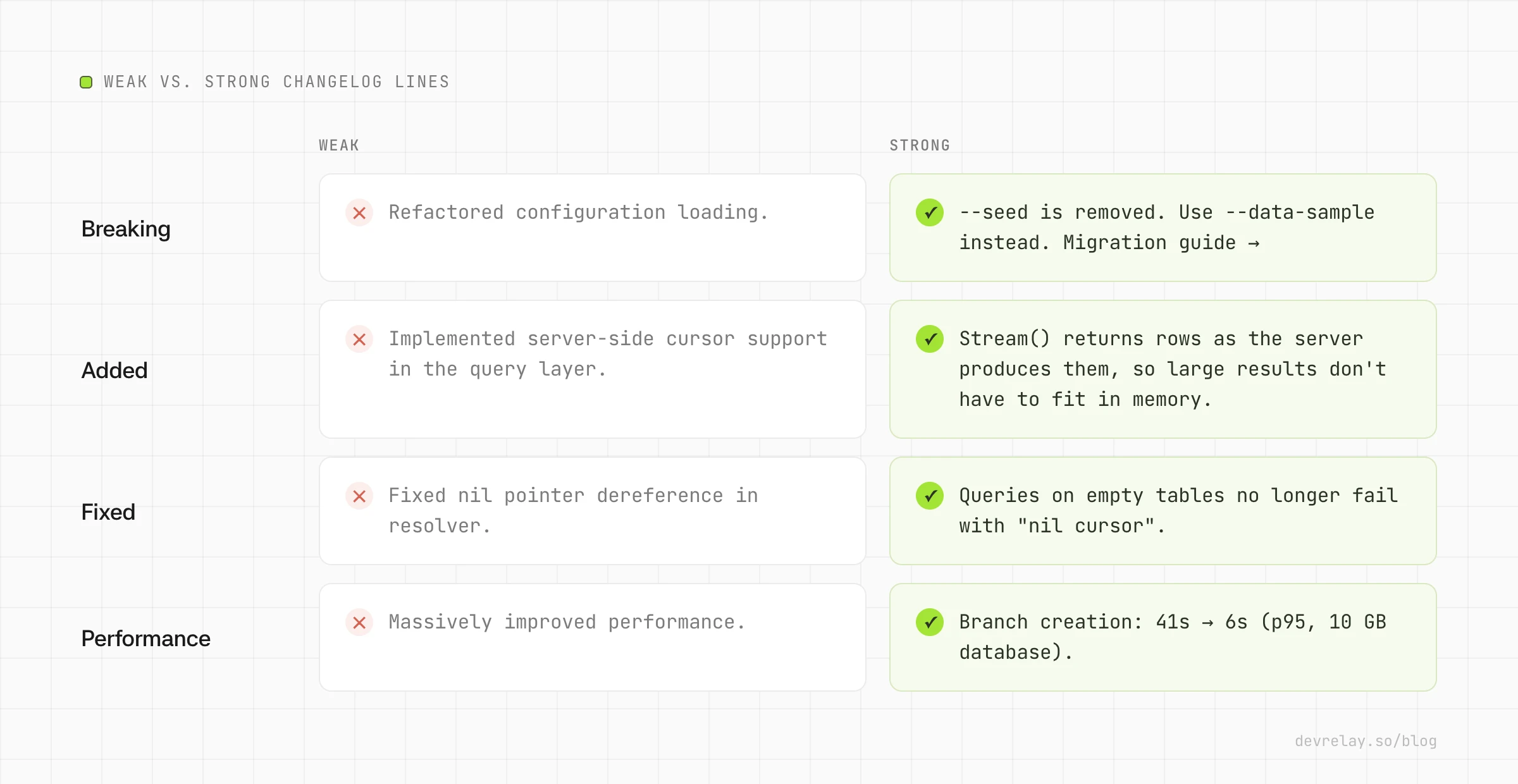
A breaking change entry has two jobs: say what stopped working, and say the one thing to do about it.
- Weak: Refactored configuration loading.
- Strong:
--seedis removed. Use--data-sampleinstead. Migration guide
If the migration takes more than a sentence, link to a migration guide rather than cramming it into the changelog. Never describe a breaking change as a feature ("New, simpler config format!"). The reader needs to know it will break their build, not that you're excited about it.
Deprecations: what, when, and the replacement
- Weak: Deprecated old auth method.
- Strong:
client.login(user, pass)is deprecated and will be removed in 4.0. Useclient.login({ token }).
The removal version is what turns a deprecation notice into something people can plan around.
Added: what you can now do
Lead with the capability, not the implementation, and link to the docs.
- Weak: Implemented server-side cursor support in the query layer.
- Strong:
Stream()returns rows as the server produces them, so large result sets don't have to fit in memory. Docs
A good test: could a user read this line and know whether they want to try it?
Fixed: the symptom users saw
Users remember bugs by their symptoms, not their root causes. Write the line they'd search for.
- Weak: Fixed nil pointer dereference in resolver.
- Strong: Queries on empty tables no longer fail with "nil cursor".
If there's a GitHub issue, link it. The people who reported it will be looking for exactly this line.
Performance: numbers, or nothing
Performance claims are where changelogs most often lose credibility. "Much faster" means nothing, and an unqualified number is worse than none.
- Weak: Massively improved performance.
- Strong: Branch creation: 41s → 6s (p95, 10 GB database).
Include the old number, the new number and what was measured. If you don't have measurements, write the improvement without adjectives ("Branch creation no longer copies unused indexes") and let users judge.
What to leave out
A changelog gets more useful as you remove things from it. Leave out:
- Internal refactors that don't change behaviour.
- Dependency bumps, unless they change your supported versions or fix a security issue users care about.
- CI, build and test changes.
- Typo fixes in docs (a docs site redesign might deserve a line; a typo doesn't).
- Reverted changes that never shipped in a release.
- Merge commits and "wip" commits.
When in doubt, ask: would a user notice this if it weren't in the changelog? If not, it probably doesn't belong.
Where the changelog should live
Put it where your users already look:
CHANGELOG.mdin the repository root for libraries and SDKs. Package registries and GitHub link to it, and it travels with the code.- A changelog page on your docs site for hosted products and APIs. Give each version an anchor so you can link to it from release announcements.
- GitHub Releases for the per-version view. Many teams paste each version's changelog section into the release body, so people watching the repo get it in their notifications.
Whichever you pick, keep one source of truth and copy from it, rather than maintaining three different lists that drift apart.
Keeping it up to date
The best-formatted changelog in the world is useless if it's a release behind. Some habits that keep it current:
- Write the entry in the pull request. A "Changelog" line in your PR template means the person who understands the change writes the user-facing summary while it's fresh. Tools like Changesets formalize this with a small file per change.
- Keep an Unreleased section. Merged-but-unreleased changes accumulate there, and cutting a release becomes a rename rather than an archaeology project.
- Use commit conventions as raw material. Conventional Commits (
feat:,fix:,feat!:) make it easy to pre-sort changes by type. We cover the tools that do this in how to automate your changelog from GitHub. - Review the changelog as part of the release, not after it. The release isn't done until the entry is.
A changelog template you can copy
# Changelog

All notable changes to this project are documented here.
This project follows [Semantic Versioning](https://semver.org/).

## Unreleased

## 2.8.0 (2026-09-24)

### Breaking
- <What stopped working>. <What to do instead>. [Migration guide](link)

### Deprecated
- <Thing> is deprecated and will be removed in <version>. Use <replacement>.

### Added
- <Capability>: <what users can now do>. [Docs](link)

### Improved
- <What>: <old> → <new> (<what was measured>).

### Fixed
- <Symptom users saw> no longer happens. (#1234)

## 2.7.1 (2026-09-10)

### Fixed
- <Symptom> no longer happens. (#1219)
How DevRelay writes changelog entries
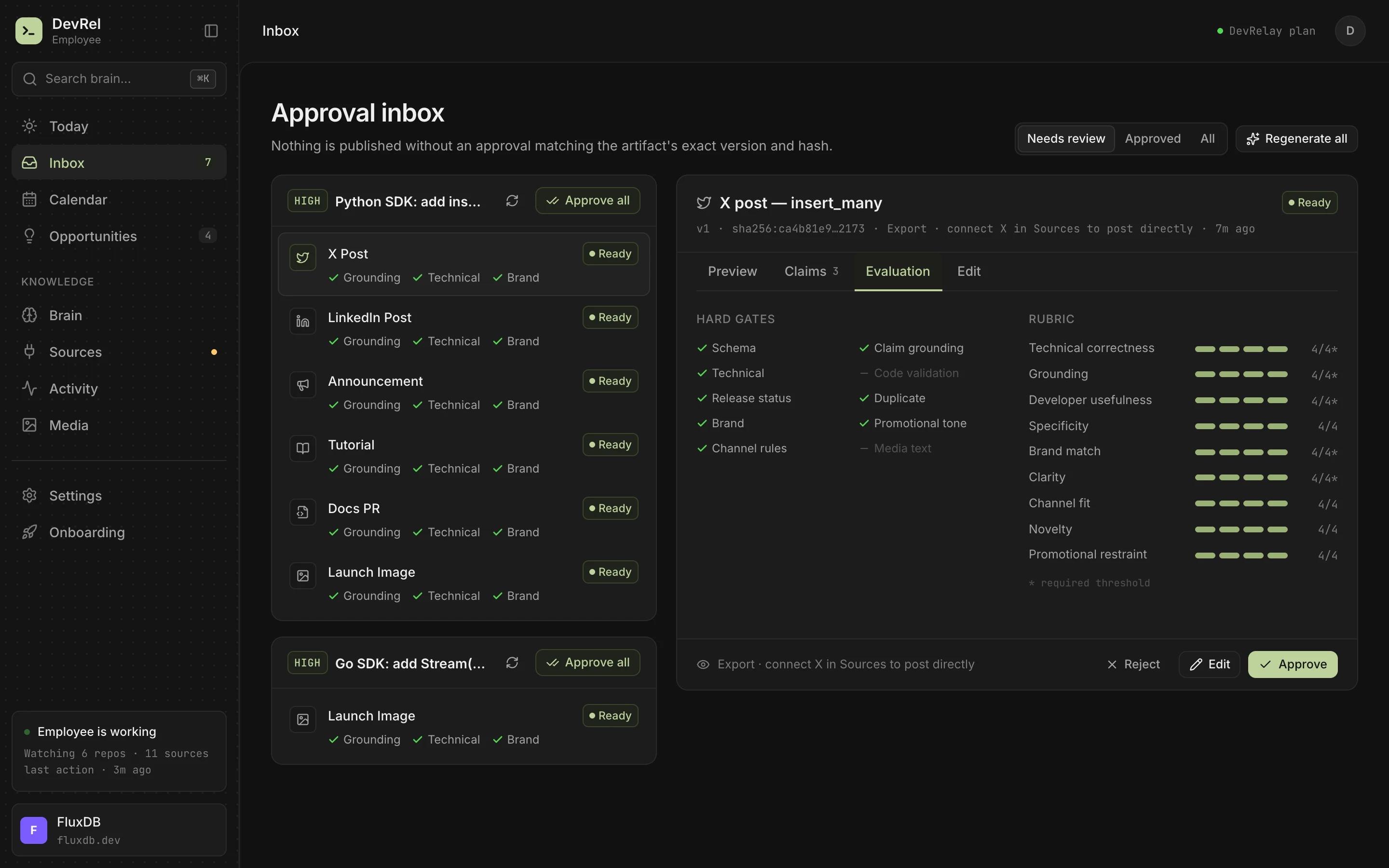
We built DevRelay's changelog generator around the rules in this post. When a GitHub release ships, it reads the pull requests in that release (diffs, linked issues and release notes) and sorts each change by kind. Your Conventional Commits and labels decide first; when they don't say, a classifier does. It then writes one line per change in the shape that kind needs: Breaking and Deprecated first, fixes led by the symptom, and performance numbers only when the evidence contains them.
Every line is checked against the evidence before you see it, and nothing ships until you approve it. Small changes go in the changelog and nowhere else, so a typo fix never turns into a tweet.
Frequently asked questions
What is the difference between a changelog and a commit log?
A commit log records how the code changed, for the people who changed it. A changelog records what changed for users, grouped by type and edited so each line describes an effect they can notice.
What format should a changelog use?
Most projects follow Keep a Changelog: a CHANGELOG.md with one section per version, newest first, dated YYYY-MM-DD, with changes grouped as Added, Changed, Deprecated, Removed, Fixed and Security. Promoting breaking changes to their own section at the top makes it easier to scan.
Should a changelog include every commit?
No. Include changes users could notice. Internal refactors, CI changes, dependency bumps without user impact and typo fixes make the entries that matter harder to find.
Where should the changelog live?
In a CHANGELOG.md in the repository root for libraries and SDKs, on a docs page for hosted products and APIs, and copied into each GitHub release. Keep one source of truth and copy from it.