Conventional Commits Cheat Sheet: Types, Examples, Rules
Every Conventional Commits type with examples, how to pick one, breaking changes, footers, version bumps and changelog sections, and how to enforce it.
The short answer
A conventional commit starts with a type, an optional scope in parentheses, an optional ! for a breaking change, a colon and a short description, like feat(inbox): add send later. feat adds a feature (a minor version), fix fixes a bug (a patch), and a ! or a BREAKING CHANGE: footer makes it a major version. Other types such as docs, refactor, test, build, ci and chore don't change the version.
Key takeaways
- Only the type and description are required; scope, body and footers are optional.
- feat is a minor release, fix and perf are patches, any breaking change is major.
- Mark breaking changes with ! and explain the upgrade in a BREAKING CHANGE: footer.
- If you squash-merge, the pull request title is the commit that counts: lint it.
Conventional Commits is a small set of rules for the first line of a commit message: a type, an optional scope, a colon, and a short description. That's most of it. The parts people look up are the rest: which type a change is, how to mark a breaking change, what goes in the footer, and what each type does to your next version number and your changelog.
This cheat sheet covers all of it on one page, with a type table you can keep open, a decision order for picking a type, worked examples from a made-up product called Acme, and the setup to enforce it in a repository.
The Conventional Commits format
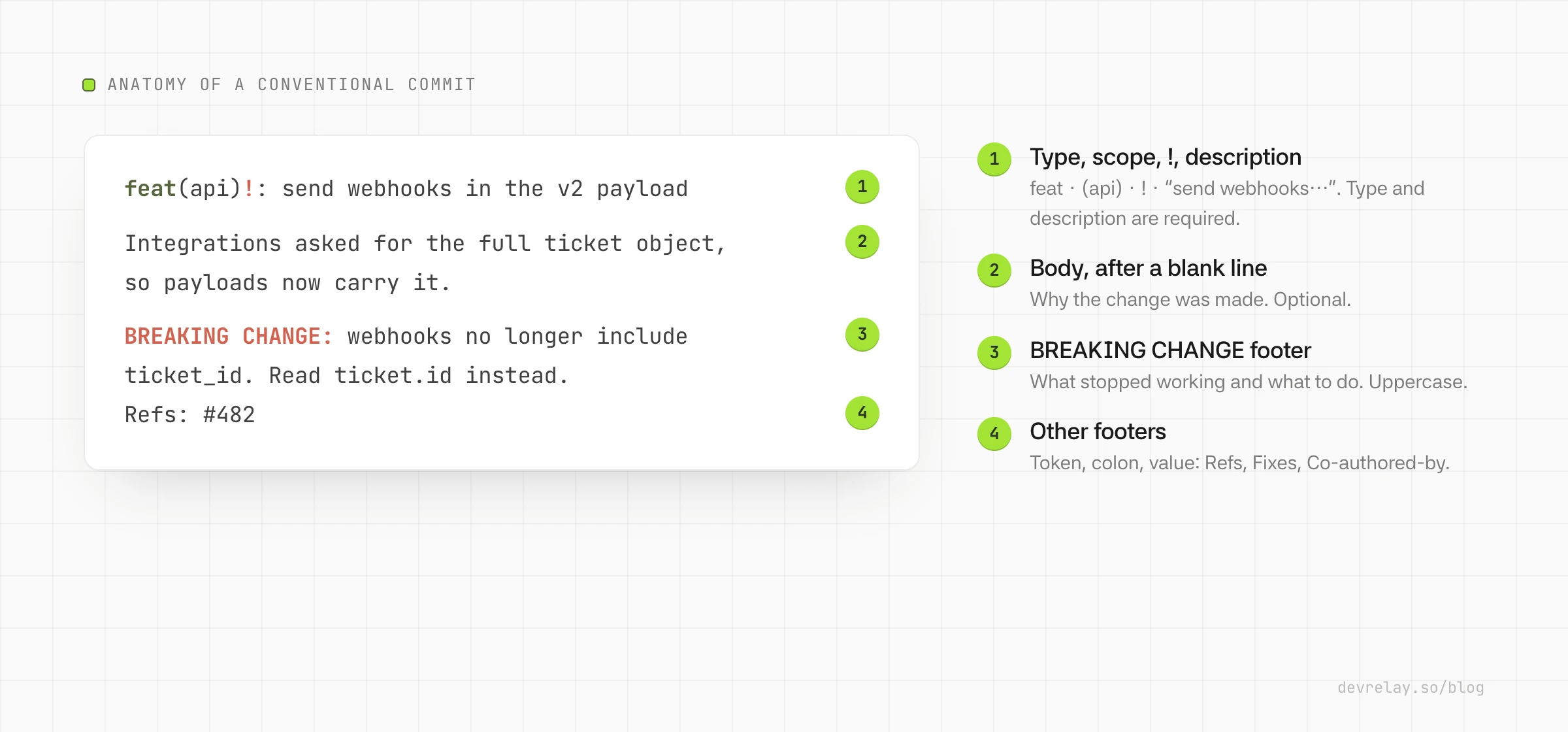
Every commit message follows the same shape:
<type>[optional scope][!]: <description>

[optional body]

[optional footer(s)]
Only the first line is required. A real one:
feat(inbox): add send later for repliesThe Conventional Commits 1.0.0 specification sets the rules. The ones that matter day to day:
- The type comes first, followed by an optional scope in parentheses, an optional
!, then a colon and a space. featmust be used for a new feature andfixmust be used for a bug fix. Every other type is allowed but not defined by the spec.- The description follows the colon and space straight away.
- The body starts one blank line after the description and can run to several paragraphs.
- Footers start one blank line after the body. Each is a token, then
:or#, then a value, likeRefs: #123. - A breaking change is marked with
!before the colon, or aBREAKING CHANGE:footer, or both.BREAKING CHANGEmust be uppercase; everything else is case-insensitive.
Conventional Commits types
The spec defines only feat and fix. The other types most teams use come from the Angular convention, through @commitlint/config-conventional, which allows exactly these eleven: build, chore, ci, docs, feat, fix, perf, refactor, revert, style and test.
| Type | Use it when the commit | Example | Default version bump* | Angular changelog section* |
|---|---|---|---|---|
feat | Adds a feature users can see or call | feat(inbox): add send later for replies | Minor | Features |
fix | Fixes a bug users could hit | fix(upload): show an error for files over 10 MB | Patch | Bug Fixes |
perf | Makes something faster without changing behaviour | perf(search): cache results by workspace | Patch | Performance Improvements |
revert | Reverts an earlier commit | revert: feat(inbox): add send later for replies | Patch | Reverts |
refactor | Restructures code without changing behaviour | refactor(auth): split token refresh into its own module | None | Hidden |
docs | Changes documentation only | docs(api): document the scheduled_at field | None | Hidden |
test | Adds or fixes tests only | test(inbox): cover replies scheduled across DST | None | Hidden |
style | Changes formatting only (white space, semicolons) | style: run prettier on src/inbox | None | Hidden |
build | Changes the build system or dependencies | build(deps): bump pg from 8.11 to 8.12 | None | Hidden |
ci | Changes CI configuration or scripts | ci: cache node_modules between jobs | None | Hidden |
chore | Anything else that doesn't touch source or tests | chore: update .gitignore | None | Hidden |
\*Bumps are semantic-release's default release rules (feat minor; fix, perf and reverts patch; any breaking change major). Sections are the conventional-changelog Angular preset: types marked hidden are left out of the changelog unless the commit carries a breaking change. Both checked October 4, 2026. Other tools can be configured differently.
Two things in that table catch people out:
- Only
feat,fix,perfand reverts cut a release by default. A pull request that only hasrefactor,docsandchorecommits produces no new version with semantic-release. - A breaking change is major whatever its type.
refactor!: drop the v1 webhook payloadis a major release, even thoughrefactoralone is nothing.
How to choose the right commit type
Most arguments about types are about changes that fit two of them. Ask these questions in order and stop at the first yes:
- Does it break something that worked before? Use the type below, and add
!(and aBREAKING CHANGE:footer explaining the upgrade). - Does it fix a bug a user could hit?
fix. - Does it add or change something users can see or call?
feat. - Is it faster with the same behaviour?
perf. - Is it the same behaviour, restructured?
refactor. - Only docs?
docs. Only tests?test. Only formatting?style. - Only the build or dependencies?
build. Only CI?ci. - None of these?
chore.
If a commit honestly fits two types, the spec's advice is to split it into two commits. A fix that also adds a feature is two changes, and the changelog reads better when it says so.
A few borderline cases, decided:
| Change | Type | Why |
|---|---|---|
| A dependency bump that fixes a security issue users were exposed to | fix(deps) | Users get a fix; that's what the changelog should say |
| A routine dependency bump | build(deps) | No user-visible effect |
| Changing a default value users rely on | feat! or fix! | It changes behaviour for existing users: breaking |
| Fixing a typo in UI copy | fix | Users see it |
| Fixing a typo in a code comment | style or docs | Users don't |
| Removing a deprecated option | feat! with a footer | Breaking, even if it was announced |
| Adding logging or metrics | chore (or feat if users can see them) | Depends who reads them |
The free conventional commit checker flags messages that break the format; it can't tell you whether you picked the right type, so this is the part worth agreeing on as a team.
Scopes
A scope is a noun in parentheses that names the part of the codebase a commit touches: feat(inbox):, fix(api):, build(deps):. The spec makes it optional and leaves the list to you.
Scopes earn their keep when a changelog or a reviewer needs to group changes, for example by package in a monorepo. Three habits help:
- Keep a short, fixed list (the product areas or packages) and write it down.
inbox,Inboxandinbox-uiscattered across a history make grouping useless. - Leave the scope out when a change is truly cross-cutting, rather than inventing
allormisc. - Don't put issue numbers in the scope.
fix(#123):is hard to read and harder to group. Issue references go in the footer.
Breaking changes
There are two ways to mark a breaking change, and you can use both:
feat(api)!: remove the v1 webhook payloadfeat(api): send webhooks in the v2 payload
BREAKING CHANGE: webhooks no longer include the v1 `ticket_id` field.
Read `ticket.id` instead. See the migration guide for a full mapping.The ! is visible in one-line logs and pull request titles, so reviewers notice it. The footer is where the upgrade instructions go. Using both is the clearest: ! to flag it, the footer to explain it. BREAKING-CHANGE: with a hyphen means the same thing as BREAKING CHANGE:.
Write the footer for the person upgrading, not the person who made the change: what stopped working, and the one thing to do about it. Tools like semantic-release and release-please copy that text into the release notes.
Writing the description
The description is the line people read in git log --oneline, in pull request lists and in generated changelogs. The spec only says it's a short summary; these conventions are what config-conventional and most teams add:
- Imperative mood: "add send later", not "added" or "adds". Read it as "this commit will … add send later".
- Lowercase first letter, no full stop.
config-conventionalrejects sentence case, start case, pascal case and upper case, and a trailing.. - Keep the whole header short.
config-conventionalerrors over 100 characters; around 72 keeps it readable in most tools. - Say what changes, not how. "show an error for files over 10 MB" beats "add size check in upload handler".
Body and footers
The body is free text. Use it for why the change was made and what it replaces, wrapped at a sensible width (config-conventional errors on body lines over 100 characters).
Footers follow the git trailer format: a token, : or #, and a value. Tokens use hyphens instead of spaces, which is how parsers tell a footer from a paragraph. Common ones:
fix(upload): show an error for files over 10 MB

Uploads over the limit used to fail without a message, so people
retried the same file. The limit itself is unchanged.

Fixes #482
Reviewed-by: Dana Lee
Co-authored-by: Sam Ortiz <sam@acme.example>Refs, Fixes, Closes, Reviewed-by and Co-authored-by are all fine. BREAKING CHANGE is the one token with a space, and the one that changes your version.
Conventional commit examples
Twelve commits from Acme, a made-up help desk, written well and less well:
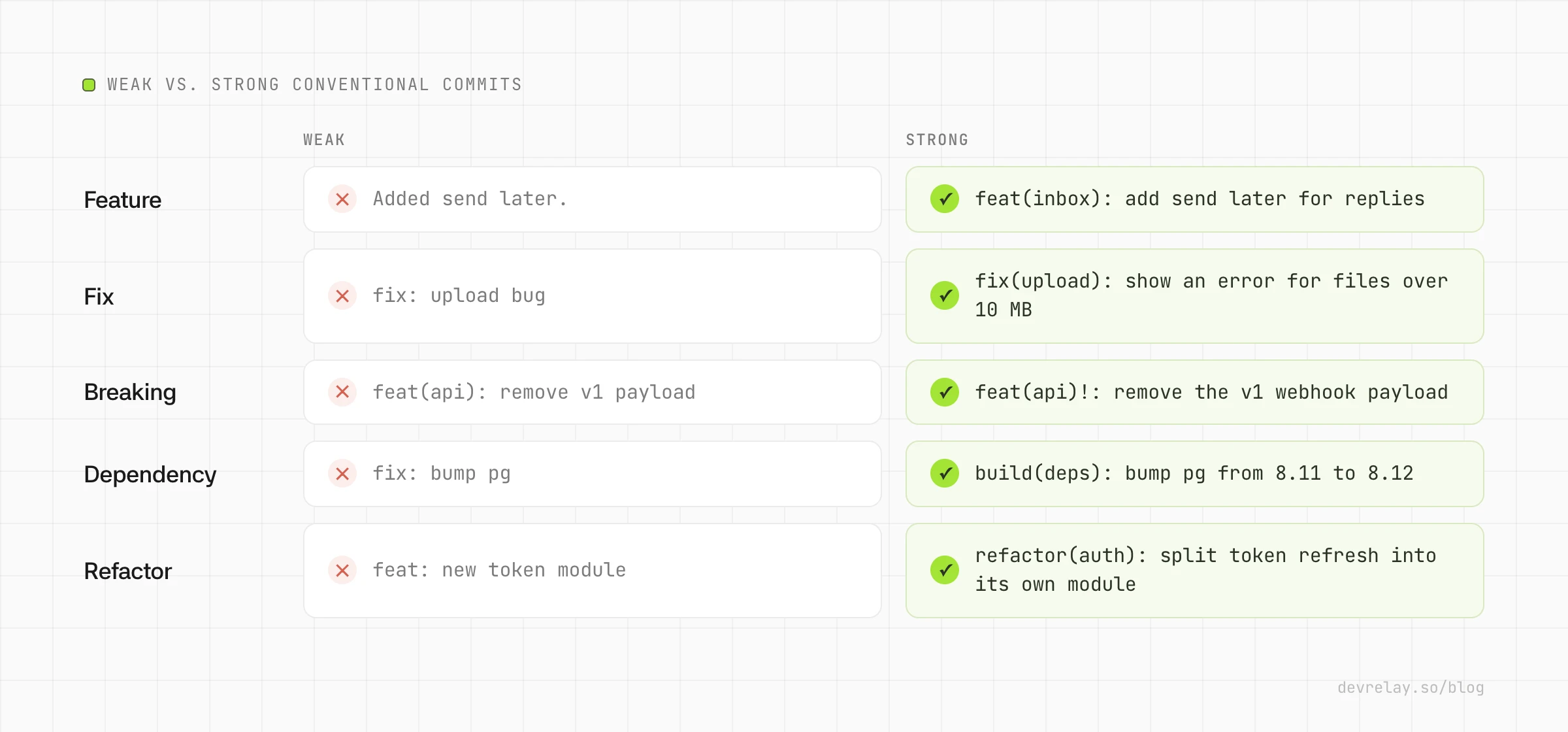
feat(inbox): add send later for replies
feat(search): find tickets by customer email domain
fix(upload): show an error for files over 10 MB
fix(inbox): keep drafts when switching tickets
perf(search): cache results by workspace
feat(api)!: remove the v1 webhook payload
revert: feat(search): find tickets by customer email domain
refactor(auth): split token refresh into its own module
docs(api): document the scheduled_at field
test(inbox): cover replies scheduled across DST
build(deps): bump pg from 8.11 to 8.12
ci: run the e2e suite on pull requests only
For a revert, the spec doesn't set the rules. A common pattern is the revert type with the reverted commit's header as the description, and a Refs: footer with the SHA.
From commits to a version number and a changelog
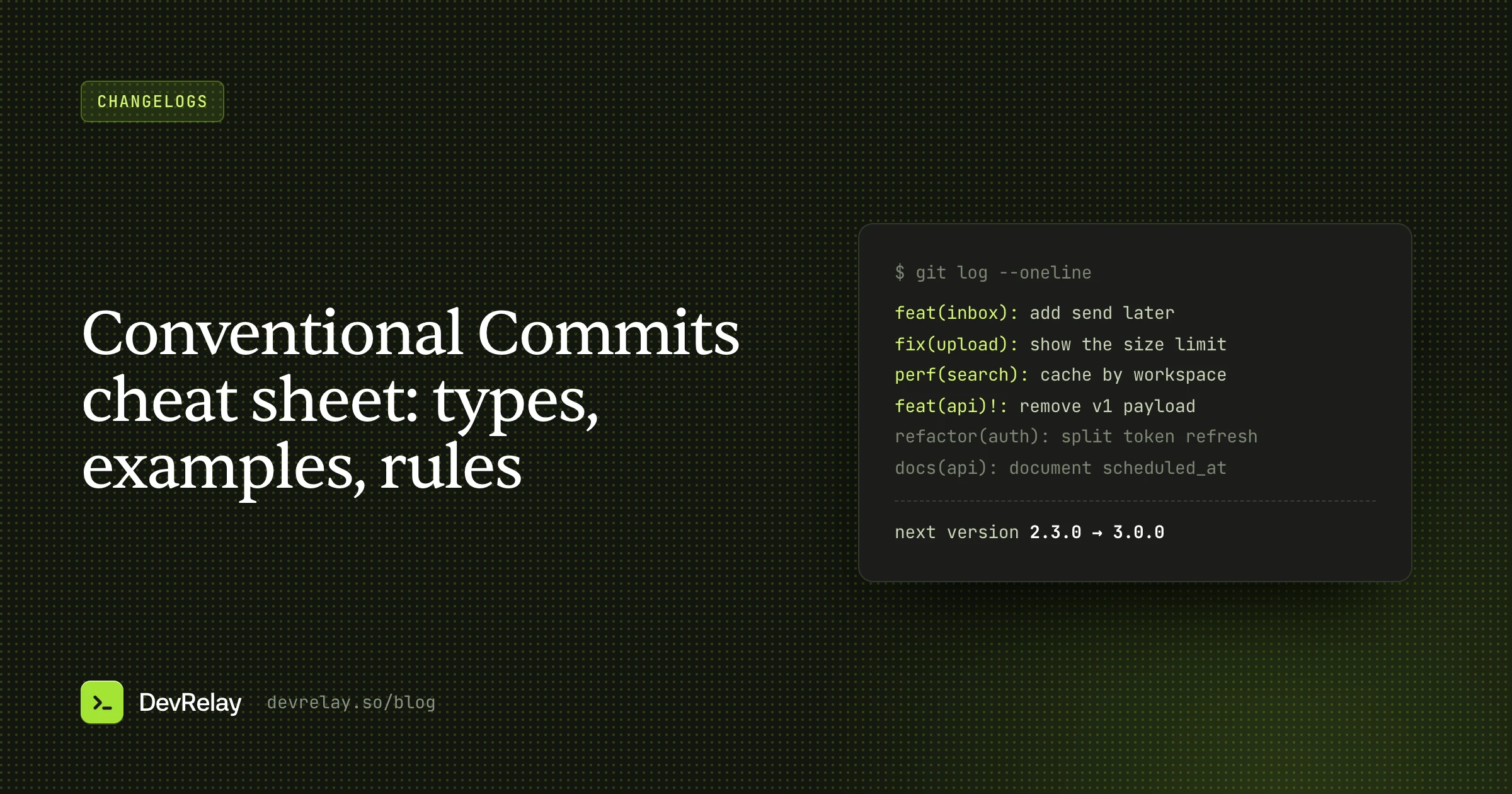
This is what the convention is for. Say Acme's last release was 2.3.0, and these five commits landed since:
feat(inbox): add send later for replies
fix(upload): show an error for files over 10 MB
perf(search): cache results by workspace
refactor(auth): split token refresh into its own module
docs(api): document the scheduled_at field
The highest bump wins: one feat makes it a minor release, so the next version is 2.4.0. Add feat(api)!: remove the v1 webhook payload and it becomes 3.0.0. Remove the feat and it's 2.3.1. You can check a set of commits in the semver calculator.
With the Angular preset, the generated changelog for 2.4.0 looks roughly like this (commit and compare links trimmed):
## 2.4.0 (2026-10-04)

### Features
* **inbox:** add send later for replies

### Bug Fixes
* **upload:** show an error for files over 10 MB

### Performance Improvements
* **search:** cache results by workspace
The refactor and docs commits are dropped, which is right: users can't see them. Our guide to automating your changelog from GitHub compares the tools that do this (release-please, semantic-release, Changesets and git-cliff).
Squash merges and pull request titles
On teams that squash-merge, the commit that lands on main is the one that matters, not the dozen inside the pull request. GitHub's default squash message is the commit's own title and message when a pull request has one commit, and the pull request title plus a list of commits when it has two or more. You can make it always start with the pull request title: in the repository's Settings, under Pull Requests, open the dropdown under Allow squash merging and pick one of the pull request title options.
That gives you a simpler rule: the pull request title is the conventional commit. Contributors can write whatever they like on their branch; the maintainer checks one line before merging. release-please recommends squash merges, and it reads a BEGIN_COMMIT_OVERRIDE block in a merged pull request's body if you need to fix a message after the fact.
How to enforce Conventional Commits
Lint the message where it's written. With commitlint and Husky, from commitlint's own setup guides:
npm install -D @commitlint/cli @commitlint/config-conventional
echo "export default { extends: ['@commitlint/config-conventional'] };" > commitlint.config.js

npm install --save-dev husky
npx husky init
echo "npx --no -- commitlint --edit \$1" > .husky/commit-msg
Now a commit like Fixed stuff fails before it's created. If you squash-merge, lint the pull request title in CI as well, since that's the message that lands. To check a message without installing anything, paste it into the conventional commit checker; to draft one from a diff, use the commit message generator.
Common mistakes
- Everything is
chore. Then nothing cuts a release and the changelog is empty. If users can see it, it'sfeatorfix. - Breaking changes without
!or a footer. The tools release it as a minor or patch, and people upgrade into a break. featfor internal work. A new admin script or an internal endpoint isn't a feature for your users, and it bumps the minor version for nothing.- Past tense, capitals and full stops.
Fixed upload bug.has no type, andfix: Fixed upload bug.still failsconfig-conventionalon the capital letter and the full stop. - A different scope per person. Agree on the list once.
- Treating commits as release notes. That's the next section.
Commit messages aren't release notes
Conventional Commits are written by developers, for the history and the tools. fix(upload): show an error for files over 10 MB is a good commit. It isn't yet a good line for your customers, who want "Uploads over 10 MB now tell you the size limit instead of failing without a message", grouped with the other changes that shipped, and nothing about the auth refactor.
So the generated changelog is a starting point. For a library, it may be enough. For a product with users who never open GitHub, someone still has to turn it into release notes, a changelog people read, and an announcement. The commit types do the sorting; the writing is still a separate job.
How DevRelay uses your commits
DevRelay watches your GitHub repositories and uses commit conventions and labels as one signal for what kind of change each pull request is: a new feature, a fix, a speed-up or a breaking change. When a commit doesn't say, it works the kind out from the pull request and the diff. It waits for the release, since a merge alone isn't treated as shipped, then drafts the changelog entry in New, Improved, Fixed and Changed, an announcement for the release, and X and LinkedIn posts, written for your product's users rather than in commit-speak. Internal work like refactors and dependency bumps is left out.
Every claim in a draft is checked against the pull request and the release before you see it, and nothing goes out until you approve it. You can also ask what shipped and review drafts from Claude, ChatGPT or Cursor through the DevRelay MCP server.
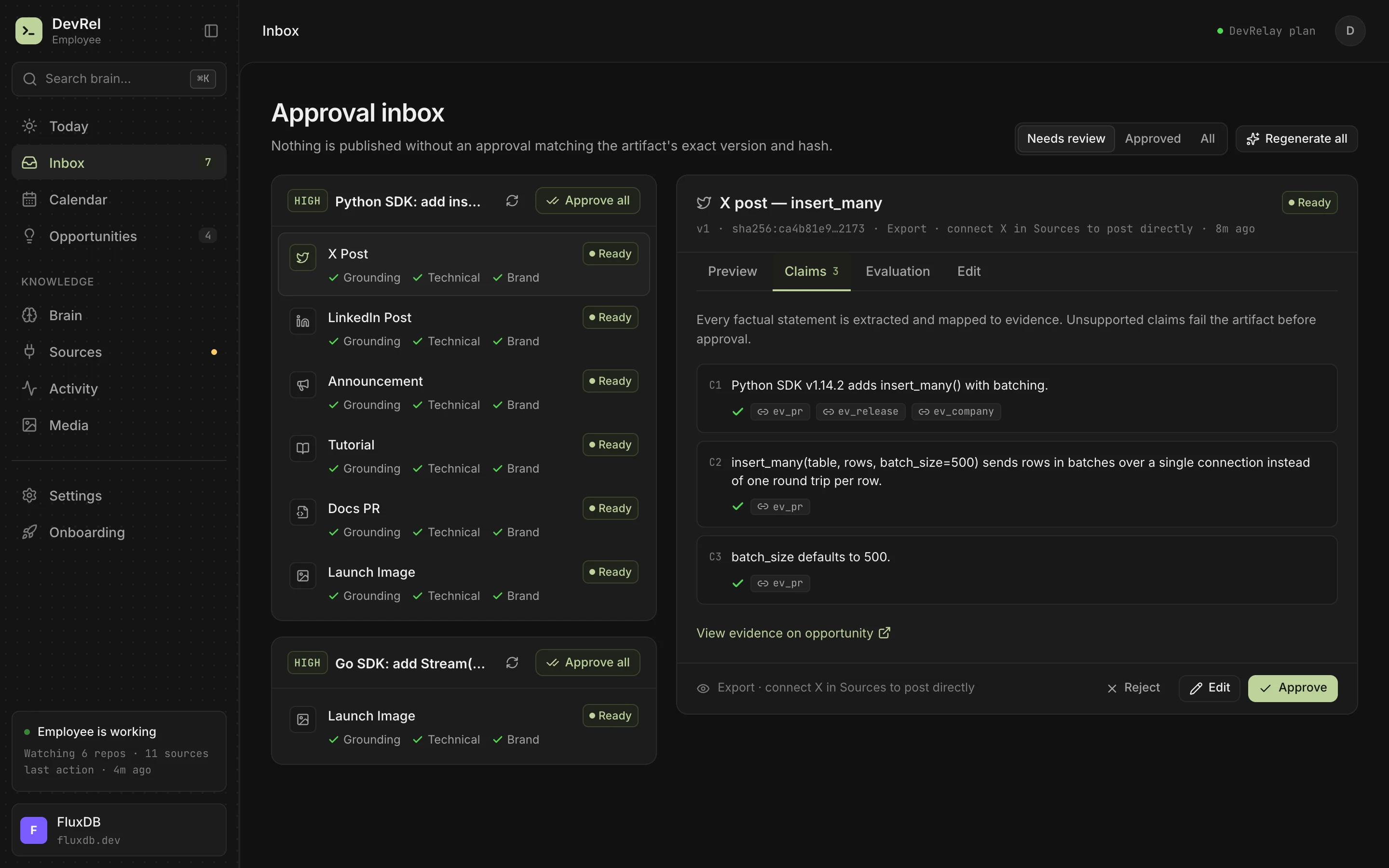
To try it on your own history first, paste your commits into the free release notes generator.
Frequently asked questions
What are the Conventional Commits types?
The specification defines feat and fix. The common full set, from @commitlint/config-conventional, is build, chore, ci, docs, feat, fix, perf, refactor, revert, style and test.
How do you write a breaking change in Conventional Commits?
Add ! before the colon, as in feat(api)!: remove the v1 webhook payload, or add a footer that starts with BREAKING CHANGE: followed by what changed and what to do. Using both is clearest. A breaking change means a major version whatever the commit type.
Is the scope required in a conventional commit?
No. The scope is optional. When you use one, it's a noun in parentheses naming the part of the codebase, like fix(upload):, chosen from a short list your team agrees on.
Should conventional commit descriptions be lowercase?
The specification allows any casing as long as you're consistent. The popular @commitlint/config-conventional rules reject a capitalised first letter and a trailing full stop, so most teams write lowercase, imperative descriptions.
What is the difference between chore and refactor?
refactor restructures source code without changing its behaviour. chore covers other maintenance that doesn't touch source or tests, like editing .gitignore. Neither changes the version on its own.
How do Conventional Commits generate a changelog?
Tools like semantic-release, release-please and conventional-changelog read the types since the last release, pick the next version from the highest bump, and group feat, fix and perf commits into sections. Types users can't see, like refactor and docs, are usually left out.