How to Change a Git Commit Message (Last, Old or Pushed)
Change the last commit message with git commit --amend, an older one with git rebase -i and reword, a pushed one with --force-with-lease. With examples.
The short answer
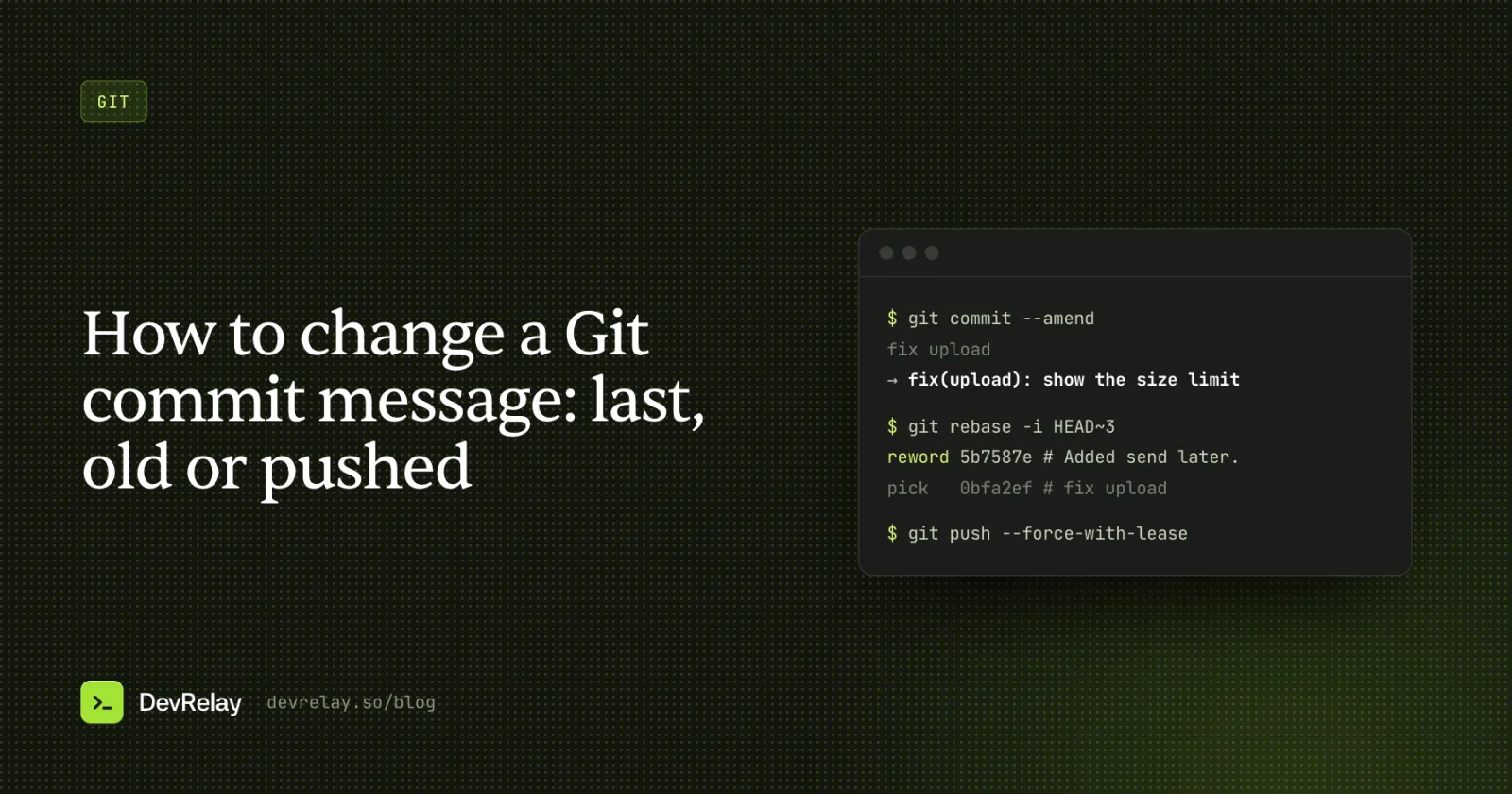
Run git commit --amend -m "new message" to change the last commit's message. For an older commit, run git rebase -i HEAD~3, change pick to reword on its line, and write the new message when Git opens the editor. If the commit was already pushed, finish with git push --force-with-lease.
Key takeaways
- Last commit: git commit --amend. Older commits: git rebase -i and reword.
- A new message means a new hash, so a pushed commit needs git push --force-with-lease.
- Add --only to amend the message without folding in staged changes.
- Leave commits on main alone; fix the release notes instead, unless the message leaked a secret.
To change the message of your last commit, run git commit --amend -m "new message". To change an older one, run git rebase -i HEAD~3, replace pick with reword on that commit's line, and write the new message when Git asks for it. Either way the commit gets a new hash, so if you had already pushed it, finish with git push --force-with-lease.
That covers most cases. The rest of this guide is the detail: which command fits where the commit is, how to reword a commit by its hash without the editor, what to do on GitHub, how to undo a reword that went wrong, and when to leave a bad message alone. Every command here was run on Git 2.50 on October 10, 2026, in a test repository for a made-up product called Acme.
Which command do you need?
Find where the commit is, then use that row:
| Where the commit is | Command | Then |
|---|---|---|
| Last commit, not pushed | git commit --amend -m "new message" | Nothing else |
| Last commit, already pushed to your branch | git commit --amend -m "new message" | git push --force-with-lease |
| An older commit, or several | git rebase -i HEAD~N, mark them reword | Force push if they were pushed |
| One older commit, by its hash | git commit --fixup=reword:<hash>, then git rebase -i --autosquash <hash>~ | Force push if it was pushed |
| The very first commit in the repo | git rebase -i --root, mark it reword | Force push if it was pushed |
| A pull request you'll squash-merge on GitHub | Edit the message in the merge box (or the PR title) | Nothing else |
Already merged into main or in a release | Usually leave it; fix the text where people read it | See below |
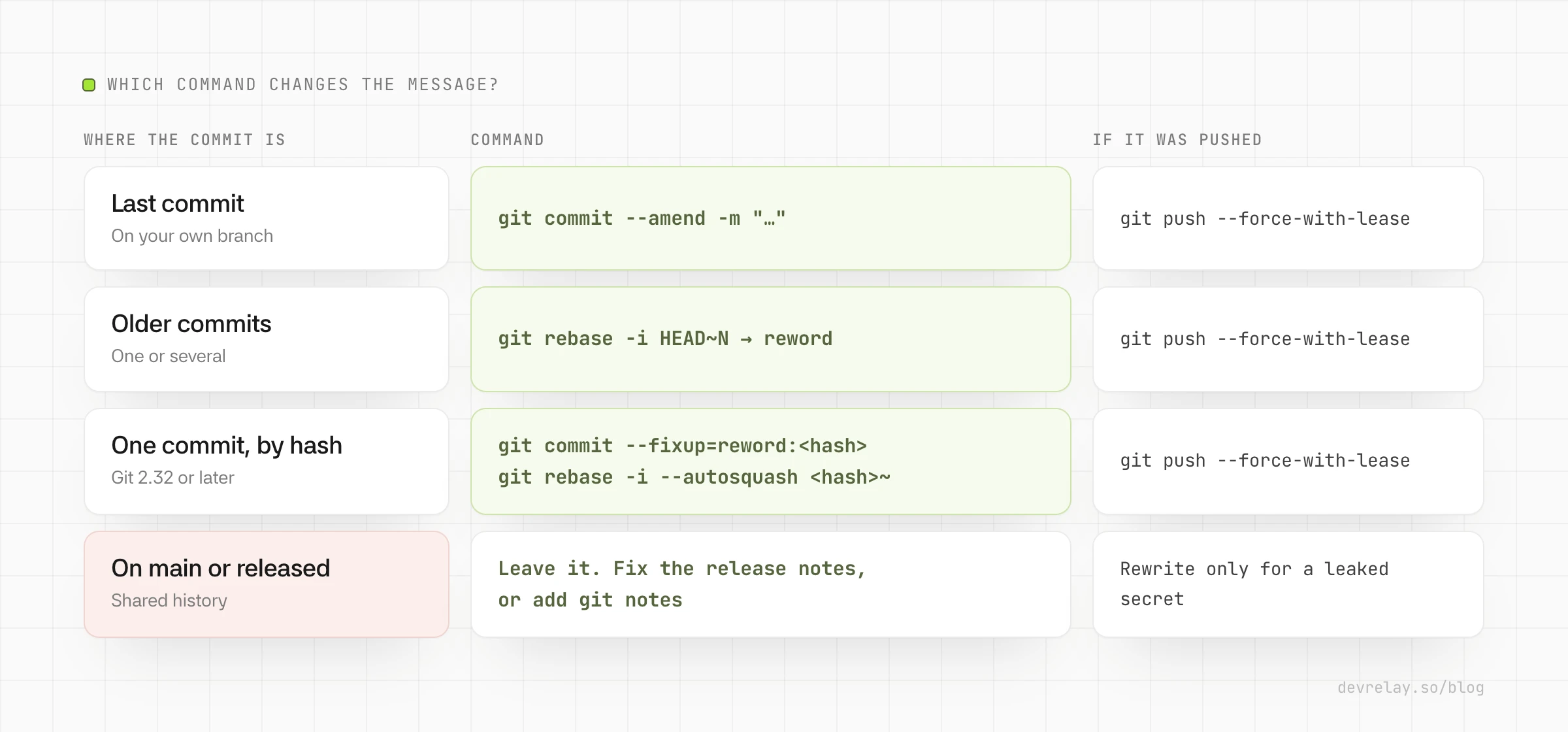
One fact sits under every row: a commit's message is part of what its hash is computed from. Changing the message makes a new commit with a new hash, and every commit after it gets a new hash too. That's why a pushed commit needs a force push, and why rewording commits other people have already pulled causes trouble.
Change the last commit message
If the commit is the most recent one on your branch and you haven't pushed it, amend it:
git commit --amend -m "feat(inbox): add send later for replies"Leave out -m to edit the current message in your editor instead, which is better for messages with a body:
git commit --amendGit opens the full message. Change it, save and close the editor, and the commit is replaced.
Two things to know:
- Amend also takes whatever is staged. If you've run
git addon other changes since the commit,--amendfolds them into it. To change only the message and leave staged changes alone, add--only:git commit --amend --only -m "new message". (We checked: the staged file stays staged and the commit's content doesn't change.) - The author date stays, the committer date changes. Amending keeps the original author and author date unless you add
--reset-author.git logshows the author date by default, so the commit still looks like it was made when it was.
Change a commit message after you've pushed
Amend it exactly as above, then push with a lease:
git commit --amend -m "fix(upload): show an error for files over 10 MB"
git push --force-with-lease
A plain git push is rejected, because the branch on the remote has a commit your local branch no longer has. --force-with-lease overwrites it only if the remote branch is still where you last saw it. If a teammate pushed to the branch in the meantime, the push fails instead of deleting their work. Plain --force would delete it. Use the lease every time.
Before you force push, check two things:
- Is this your branch? Rewording commits on your own feature branch is routine. Rewording commits on a branch others have pulled means they'll each have to fix their local copy.
- Is the branch protected? Most teams block force pushes to
mainand release branches. The push will be rejected, and that's the right outcome; see when the commit is already on main.
If someone else has the old commits locally and no work of their own on top, they can match the remote with:
git fetch
git reset --hard origin/<branch>
If they do have commits on top, git pull --rebase replays their work onto the reworded history. Git usually recognises the old commits as already applied and skips them.
Change an older commit message with interactive rebase
To reword a commit that isn't the last one, start an interactive rebase that goes back far enough to include it. HEAD~3 means "the last three commits":
git rebase -i HEAD~3Git opens a to-do list, oldest commit first (the opposite of git log). Recent versions show each subject after a #; older ones show it without:
pick 5b7587e # Added send later.
pick 0bfa2ef # fix upload
pick 9279fa2 # add retry to webhook sender
Change pick to reword (or just r) on each commit whose message you want to change. Don't edit the messages in this list; Git ignores changes here.
reword 5b7587e # Added send later.
reword 0bfa2ef # fix upload
pick 9279fa2 # add retry to webhook sender
Save and close. Git stops at each reword commit and opens your editor with its message. Write the new one, save and close, and Git moves on to the next. When it's done, the three commits read (with new hashes):
feat(inbox): add send later for replies
fix(upload): show an error for files over 10 MB
add retry to webhook sender
To find the right number, count the commits back from the one you want with git log --oneline and add one, or pass the parent of the commit directly: git rebase -i 5b7587e~. If a rebase gets confusing halfway, git rebase --abort puts everything back as it was.
Reword several commits at once
Mark every one of them reword in the same to-do list. Git stops at each in order. This is the usual way to clean up a branch before opening a pull request, for example to bring old messages in line with Conventional Commits.
Reword the first commit in a repository
HEAD~N can't reach past the first commit, because it has no parent. Use --root:
git rebase -i --rootMerge commits in the range
A plain interactive rebase flattens merge commits: it replays the commits from both sides as a straight line. If your branch has merges you want to keep, add --rebase-merges. If you only need to change the last few commits and they come after the merge, keep HEAD~N small enough that the merge isn't in the range.
Reword a commit by its hash, without the to-do list
If you know the commit's hash, Git 2.32 and later can mark it for rewording from the command line. Run this, write the new message in the editor that opens, and save:
git commit --fixup=reword:5b7587eThat creates an empty commit titled amend! Added send later. whose message is your new one. Then fold it into the original with an autosquash rebase:
git rebase -i --autosquash 5b7587e~Git opens the to-do list with the fixup already placed under the right commit; save and close it. To skip the list entirely (in a script, say), set the sequence editor to a no-op:
GIT_SEQUENCE_EDITOR=: git rebase -i --autosquash 5b7587e~One catch we hit: --fixup=reword: can't be combined with -m. Git answers fatal: options '-m' and '--fixup:reword' cannot be used together, so it always opens the editor for the new message.
This is handy when a reviewer asks for a better message on one commit in the middle of a long branch: you make the change where you are and fold it in when you're ready.
Change a commit message on GitHub
GitHub's website has no button to change the message of a commit that's already pushed. You change it locally with one of the commands above and force push the branch; the pull request updates on its own.
There's one exception that covers a lot of real cases. If the pull request will be squash merged, the commits on the branch don't land on main at all. GitHub writes one new commit, and you can edit its message in the merge box before you confirm. According to GitHub's docs (checked October 10, 2026), the default message is the commit's own title and message when the pull request has one commit, or the pull request title and a list of its commits when it has two or more; a repository can switch the default to the pull request title, the title and commit details, or the title and description.
So in a squash-merge repository, the message that matters is usually the pull request title. Fix the title and you've fixed the commit that lands. That's also why teams that enforce commit conventions lint the pull request title in CI, not only the commits.
GitLab works the same way: rewording happens locally, then a force push. The GitLab tutorial walks through it from the UI side.
When the commit is already on main
Once a commit is on a shared branch like main, or in a tagged release, rewording it means rewriting history that every clone, open pull request and CI cache depends on. Tags keep pointing at the old commits, too. For a message that's only unclear, misspelt or in the wrong format, the cost is almost never worth it. Instead:
- Leave the commit alone and fix the text where people read it. If the message is going to end up in generated release notes, edit the release notes or the changelog entry before it's published, not the commit.
- Attach a note.
git notes add -m "This also fixes the upload size error (#409)" <hash>adds text thatgit logshows under the commit without changing its hash. Notes aren't pushed by default; push them withgit push origin 'refs/notes/*'if others should see them. - Use your team's agreed exception. Some teams do allow rewriting
mainfor a short window right after a merge. If yours does, it's the same rebase and force push, plus a message to everyone who might have pulled.
If the message contained a secret
This is the one case where rewriting shared history is worth it, and the order matters:
- Revoke or rotate the secret first. Assume it's already been copied. Rewording doesn't un-leak it.
- Reword the commit and force push (with branch protection temporarily relaxed, if you must).
- Ask your host to purge the old commit. GitHub's docs say a force push might not remove the original commit from GitHub, and to contact GitHub Support with the old commit ID.
For the same secret across many commits, a history-rewriting tool such as git filter-repo can edit every message in one pass.
Undo a reword that went wrong
Every amend and rebase is recorded in the reflog, so a reword is easy to undo as long as you notice within Git's reflog expiry (90 days by default):
git reflog4705365 HEAD@{0}: commit (amend): chore: update webhook retries
9279fa2 HEAD@{1}: rebase (finish): returning to refs/heads/main
9279fa2 HEAD@{2}: rebase (start): checkout 5b7587e~Find the line from before the change and reset to it:
git reset --hard HEAD@{1}--hard also throws away uncommitted changes in your working tree, so commit or stash anything you want to keep first. Right after a rebase, git reset --hard ORIG_HEAD does the same thing without reading the reflog.
Common mistakes
- Using
git push --force. It overwrites whatever is on the remote, including a teammate's new commits.--force-with-leasedoes the same job safely. - Amending with something staged.
--amendtakes the staged changes with it. Use--amend --onlywhen you only want the message. - Editing messages in the rebase to-do list. Git ignores them. Mark the line
rewordand edit in the editor that opens next. - Counting
HEAD~Nfrom the wrong end. The to-do list is oldest first;git logis newest first. Pass the commit's parent (<hash>~) when in doubt. - Rewording
mainto fix a typo. It costs everyone a reset for a message almost nobody reads. Fix the release notes instead.
Write a better message the first time
Most rewording is fixing messages like fix upload or wip before a review. A few habits remove the need:
- Follow one format. Conventional Commits gives every message a type and a short description, like
fix(upload): show an error for files over 10 MB, and tools can read it. - Say what changes, not how. The diff shows how. The message is for the person reading
git login six months. - Check it before it lands. A
commit-msghook with commitlint rejects a bad message before the commit exists. To check one without installing anything, paste it into the free conventional commit checker. - Draft it from the diff. Paste
git diff --stagedinto the free commit message generator and edit what comes back. Secrets are redacted before the diff reaches the model.
Why the message matters after the merge
Commit messages don't stay in git log. Tools like semantic-release and release-please pick the next version from them, and changelog generators group them into sections, so a feat mislabelled as chore can drop a feature from the release notes. Our guide to automating a changelog from GitHub shows where each tool reads them.
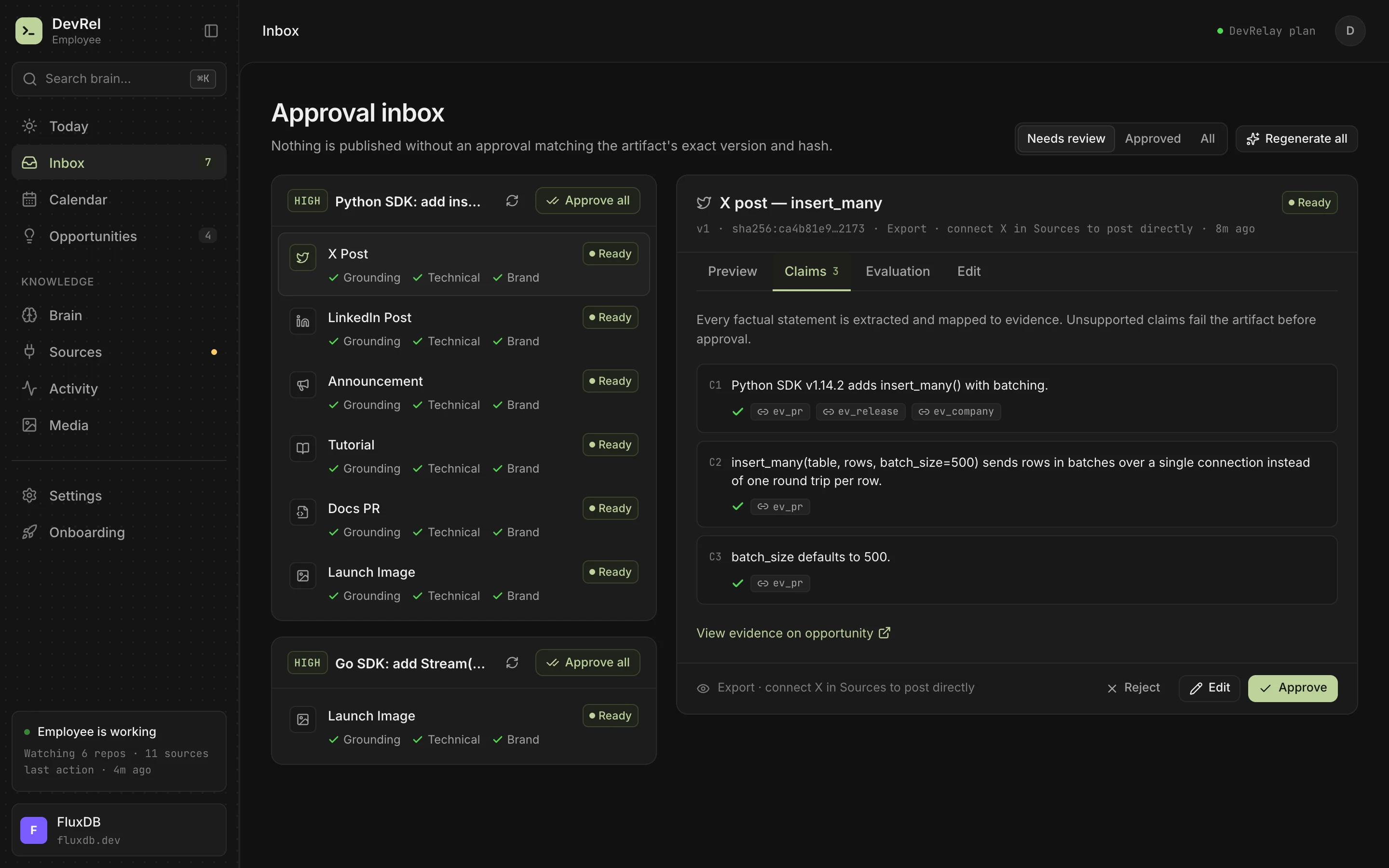
DevRelay uses commit conventions and labels as one signal for what kind of change a pull request is: a feature, a fix, a speed-up or a breaking change. When a commit doesn't say, it works the kind out from the pull request and the diff, so a message you didn't get round to fixing doesn't decide what your users hear. It waits for the release, then drafts the changelog entry, the announcement and X and LinkedIn posts in your product's words rather than commit-speak, checks every claim against the pull request, and holds everything for your approval.
To see what your own history reads like as release notes, paste a few commit messages into the free release notes generator.
Frequently asked questions
How do I change the last commit message in Git?
Run git commit --amend -m "new message", or git commit --amend without -m to edit the message in your editor. If you have other changes staged, add --only so they aren't folded into the commit.
How do I change a commit message after pushing?
Change it locally with git commit --amend (last commit) or git rebase -i with reword (older commits), then run git push --force-with-lease. The lease refuses to overwrite the branch if someone else pushed to it in the meantime.
How do I change the message of an older commit?
Run git rebase -i HEAD~N with N large enough to include the commit, change pick to reword on its line, save, and write the new message when Git opens the editor. With Git 2.32 or later you can also run git commit --fixup=reword:<hash> and then git rebase -i --autosquash <hash>~.
Can I change a commit message on GitHub without the command line?
Not for a commit that's already pushed: GitHub has no edit button for commit messages. If the pull request will be squash merged, you can edit the final commit message in the merge box, and in many repositories the pull request title becomes that message.
Does changing a commit message change the commit hash?
Yes. The message is part of what the hash is computed from, so the reworded commit and every commit after it get new hashes. That's why a pushed commit needs a force push.
How do I undo git commit --amend?
Run git reflog, find the entry from before the amend, and run git reset --hard HEAD@{1} (or whichever entry it is). Commit or stash uncommitted work first, because --hard discards it.