Docs Drift: How to Keep Documentation in Sync With Your Code
Why documentation drifts from code, how to find the drift you already have, and the practices that stop it: docs next to code, tested examples, generated reference, docs checks in CI and a release step.
The short answer
Keep docs in the same repository and review flow as the code, run code examples as tests, generate reference docs from the spec or source, check links and terminology in CI, and review each release's changelog against the docs before you tag it.
Key takeaways
- Drift happens one merged pull request at a time; nobody decides to let docs rot.
- Examples that run in CI can't silently break.
- Generate anything that has a source of truth: API, SDK, CLI and config reference.
- Publish docs with the release, not with the merge.
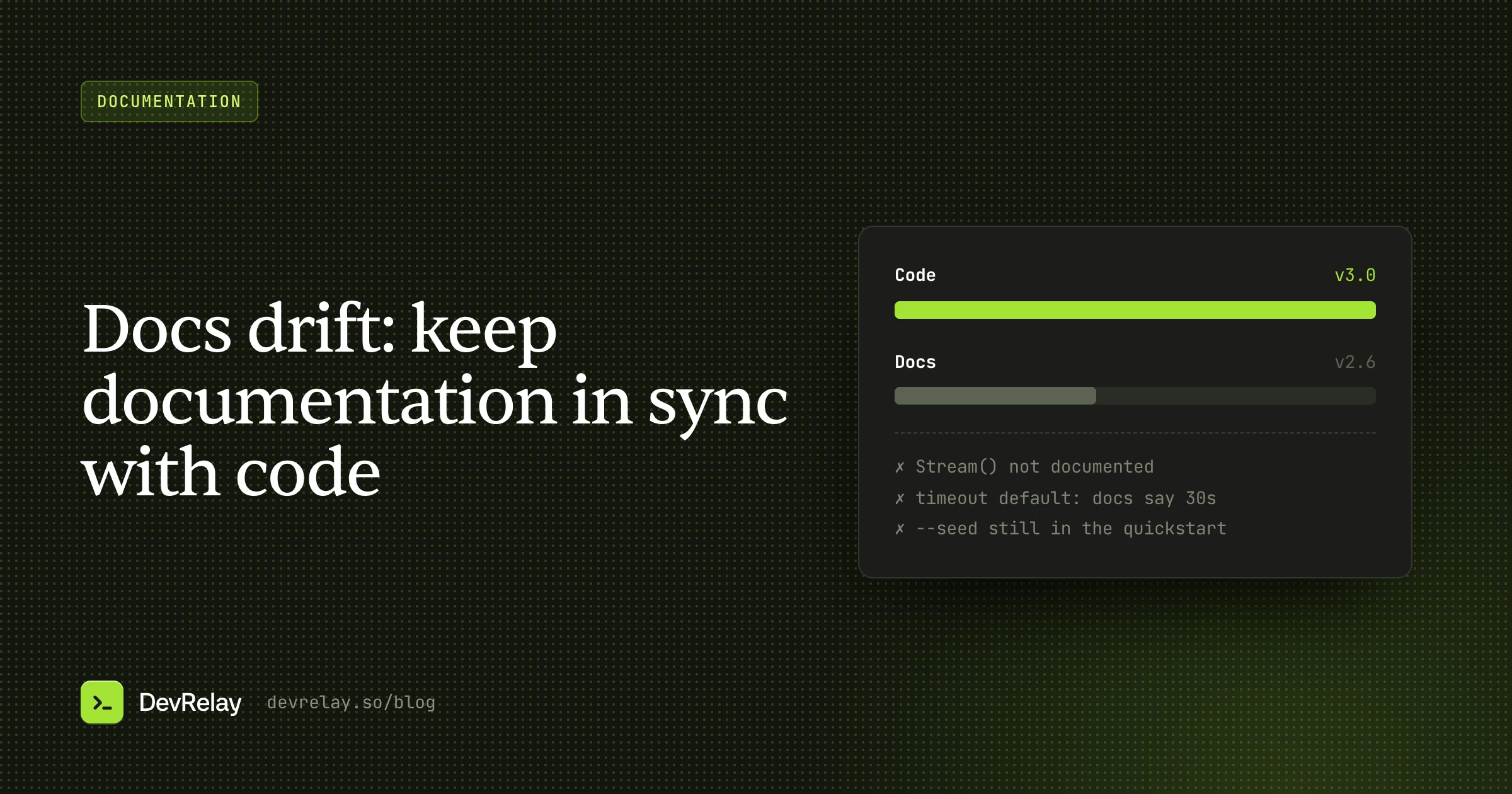
Every developer has followed a tutorial to the letter and hit an error on step three because the method it calls was renamed two versions ago. The docs weren't wrong when they were written. They drifted: the code kept changing and the docs didn't.
Docs drift is the default state of documentation. Nobody decides to let docs go stale; it happens one merged pull request at a time. This guide covers why drift happens, how to find the drift you already have, and the practices and tools that keep documentation in sync with your code, from tested examples to docs checks in CI.
Why documentation drifts
Drift has a few predictable causes, and each has a different fix.
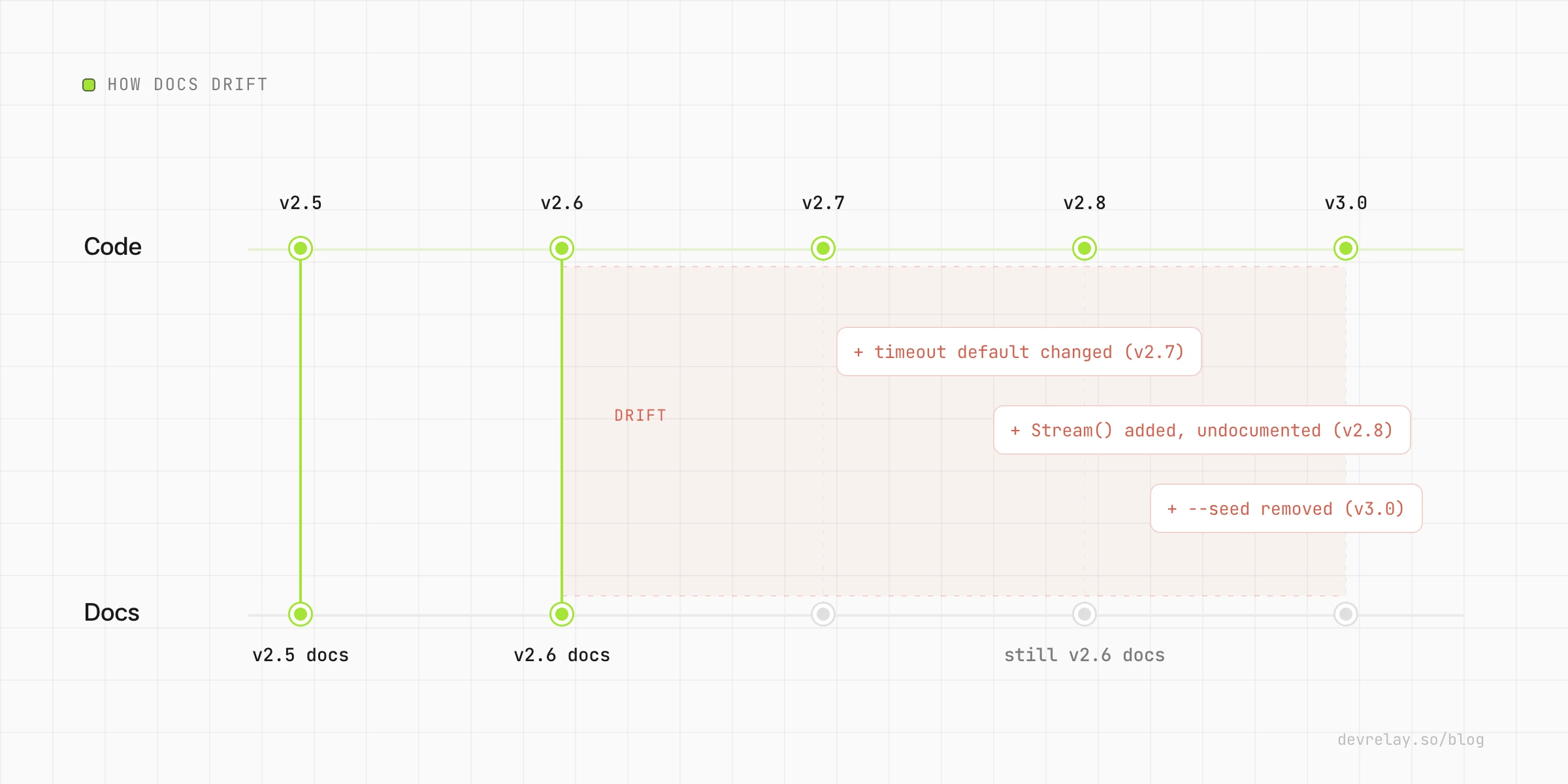
Docs live somewhere else. When documentation is in a separate repository, a CMS or a wiki, nobody sees it while reviewing the pull request that changes the behaviour. Out of sight, out of the definition of done.
Examples are copies, not code. A code sample pasted into a Markdown file is a snapshot. Nothing fails when the API it uses changes, so it quietly stops working.
Nobody owns it. Engineers assume the docs person will update it; the docs person (if there is one) doesn't know the change happened.
The change looked small. Renaming a flag, changing a default or tightening validation feels too small to document, but each one breaks someone's copy-pasted example.
Release and merge are different moments. If docs are updated when a PR merges, they can describe features that haven't shipped yet. If they're updated "later", later never comes.
Types of drift
It helps to name what you're looking for:
| Type | Example | How you find it |
|---|---|---|
| Broken examples | A snippet calls client.connect(url), but it's now client.connect({ url }) | Run the examples |
| Missing features | Stream() shipped in 2.8, the reference docs don't mention it | Compare releases to docs |
| Wrong defaults and limits | Docs say the timeout is 30s; it's been 10s since 2.5 | Generate reference from code |
| Stale guides | A tutorial uses a workflow the product no longer recommends | Review guides per release |
| Removed features | Docs still describe --seed, removed in 3.0 | Search docs for removed names |
| Dead links | Links to renamed pages or deleted repos | Link checker in CI |
Step 1: Find the drift you already have
Before preventing new drift, measure the old. A one-off audit:
- List what shipped since the docs were last reviewed. Your changelog (you do have one; if not, see how to write a changelog) is the fastest source. For each Added, Changed, Deprecated or Removed line, check whether the docs reflect it.
- Search the docs for removed and renamed names. Every removed flag, method or endpoint is a search term.
- Run every quickstart from scratch in a clean environment, exactly as written. Note every place you had to deviate.
- Check the reference against the code. Parameters, defaults, return types, error codes and limits.
- Run a link checker across the whole site.
Prioritise fixes by traffic: a broken quickstart costs more than a broken edge-case page.
Step 2: Put docs next to the code
The single most effective change is structural: keep docs in the same repository as the code, or at least in the same review flow.
When a pull request that changes behaviour can also change the docs, reviewers can ask "where's the docs change?" in the same place they review the code. A docs/ folder in the main repo, published by a static site generator, makes that natural.
Two small additions make it stick:
- A PR template checkbox: "Docs updated, or not needed because…". The "because" matters; it forces a decision rather than a tick.
- CODEOWNERS for docs. GitHub's
CODEOWNERSfile can require review from a docs owner when files underdocs/change, and you can do the reverse too: route changes to public API files to someone who'll check the docs.
# .github/CODEOWNERS
/docs/            @acme/docs
/sdk/src/public/  @acme/sdk @acme/docs
Step 3: Test your examples
A code example that runs in CI can't silently break. Most languages have a way to do this:
- Go:
Examplefunctions in_test.gofiles are compiled and run bygo test, and their// Output:comments are checked.go docand pkg.go.dev show them as documentation. - Python:
doctestruns the interactive examples in docstrings and checks their output.pytest --doctest-modulesruns them in your normal test suite. - Rust: code blocks in doc comments are compiled and run as tests by
cargo test. - TypeScript: Twoslash can type-check code blocks in Markdown against your real types, so a renamed property fails the docs build.
- Anything else: extract fenced code blocks from your Markdown into files and compile or run them in CI. Tag blocks that are intentionally partial so the extractor skips them.
func ExampleClient_Stream() {
	c := acme.NewClient(acme.Config{URL: testURL})
	rows, _ := c.Stream(ctx, "SELECT id FROM users LIMIT 2")
	for rows.Next() {
		fmt.Println(rows.ID())
	}
	// Output:
	// 1
	// 2
}
Aim for every example in a quickstart to be tested. You don't need 100% coverage of every snippet on day one, but the pages new users hit first should never break.
Step 4: Generate what you can
Anything that can be generated from the source of truth shouldn't be written by hand:
- API reference from the spec. If you have an OpenAPI (or GraphQL, or protobuf) definition, generate the reference pages from it. Defaults, types, limits and error codes then can't drift, because there's only one copy.
- SDK reference from code comments: godoc, TypeDoc, Sphinx autodoc, rustdoc.
- CLI reference from the CLI itself. Most CLI frameworks can print help as Markdown; generate the page at build time.
- Config reference from the schema. If your config has a JSON Schema, generate the table of options from it.
Hand-written docs are then only the parts that need a human: concepts, guides, tutorials and migration notes. Those are fewer, and easier to review.
Step 5: Lint and check docs in CI
Treat docs as code and give them a pipeline:
- Link checking on every build catches renamed pages and dead external links.
- Prose linting with a tool like Vale enforces your terminology: product names, deprecated terms, words you've banned. You can add a rule that flags removed flags or method names, so a mention of
--seedfails the check after 3.0. - Build the docs site on every PR so broken Markdown, missing images and bad front matter fail before merge.
- Preview deploys for docs changes, so reviewers see the rendered page, not a diff of Markdown.
Step 6: Make docs part of the release
Tested examples and generated reference prevent a lot of drift, but not all of it. Nothing automatically notices that a tutorial now recommends the wrong workflow. That takes a release step:
- Before tagging, go through the release's changelog entry line by line.
- For each Added line: is it in the reference? Does it need a guide or an example?
- For each Changed, Deprecated or Removed line: search the docs for the old behaviour and update every mention.
- For breaking changes: write or update the migration guide before the release, not after the first issue arrives.
- Publish the docs with the release, not when the PR merged. Versioned docs (a version switcher, or at least a "since 2.8" note) help users on older versions.
Merged is not released. If your docs publish from main but your product ships from tags, your docs can describe features users can't install yet. Either publish docs from release tags or mark unreleased content clearly.
A checklist you can copy
- Docs live in the code repo (or the same review flow)
- The PR template asks about docs, with a reason when skipped
- CODEOWNERS routes public API and docs changes to a docs reviewer
- Quickstart examples run in CI
- Reference docs are generated from the spec, code or CLI
- Links are checked on every build
- Prose linting flags removed names and wrong terminology
- Each release's changelog is checked against the docs before tagging
- Docs publish with the release, not with the merge
How DevRelay catches docs gaps
Most of this guide is about making drift fail loudly. The part that's hardest to automate is step 6: noticing, for each release, that a change isn't in your docs yet, and writing the update.
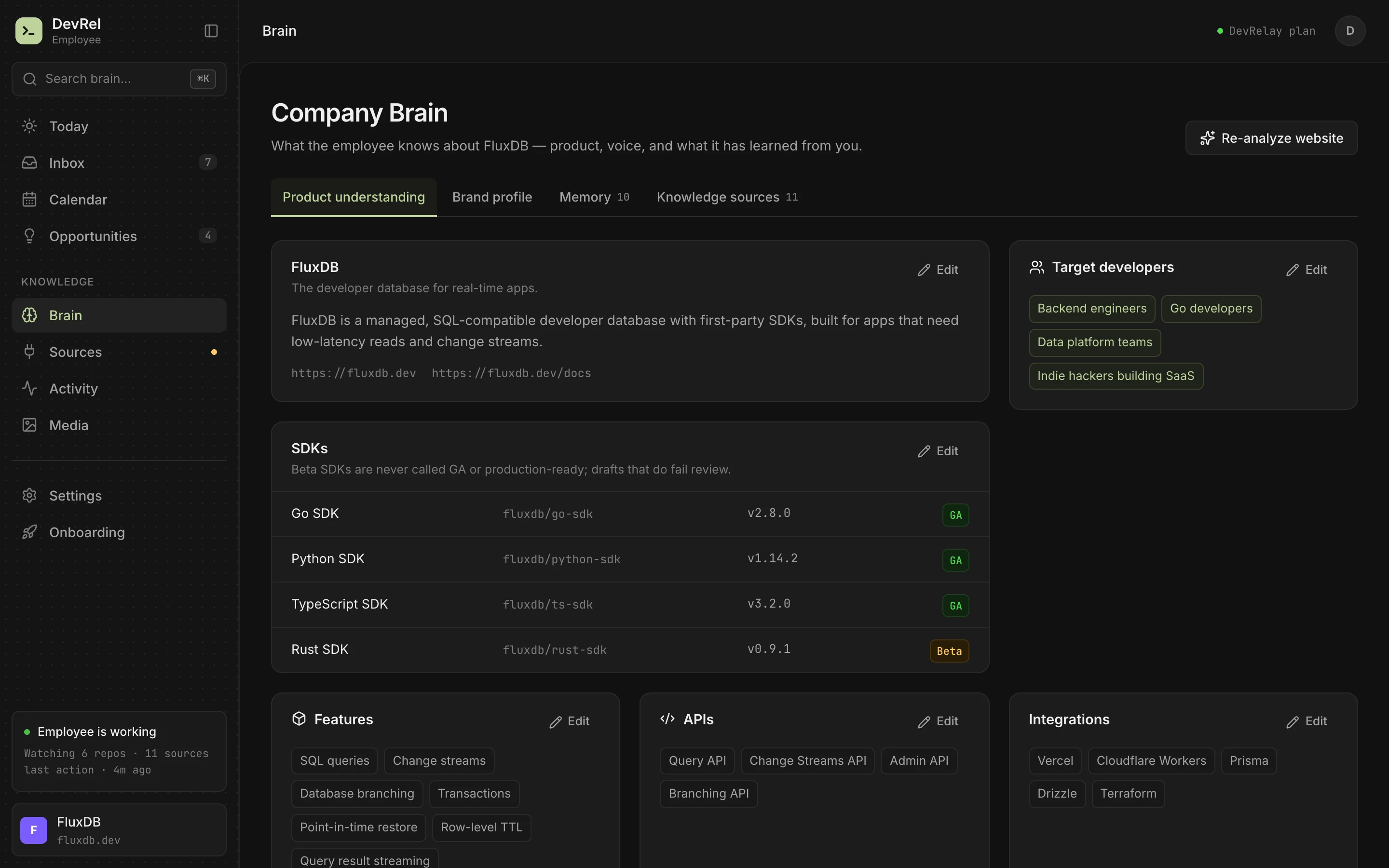
That's what DevRelay's docs updates do. It crawls your docs site into its knowledge base, and when a release ships a change your docs don't cover, it drafts a docs patch: a Markdown diff that adds the new section, with the example taken from the change itself. Claims are checked against the diff and the release, Go code blocks are checked to parse, and the patch waits in your inbox for approval. It exports as Markdown; DevRelay doesn't open pull requests on your docs repo yet.
Frequently asked questions
What is docs drift?
Docs drift is the gap that opens between documentation and code as the code changes and the docs don't: broken examples, missing features, wrong defaults and guides that describe old behaviour.
How do you test code examples in documentation?
Use your language's doc testing: Go Example functions run by go test, Python doctest, Rust doc-tests run by cargo test, Twoslash for TypeScript, or extract fenced code blocks from Markdown and run them in CI.
Should documentation live in the same repository as the code?
Usually, yes. When docs are in the same repository, a pull request that changes behaviour can change the docs too, and reviewers can ask for it in the same place.